Industrial Panel PC for CNC Machines | CNC HMI Solutions | WINDRO
Introduction
Modern CNC machines are no longer simply mechanical systems. They are connected, data-driven production platforms that require reliable human-machine interfaces (HMI) for machine control, parameter monitoring, production management, and equipment diagnostics.
At the center of this interaction is often an industrial panel PC for CNC machines.
Unlike a standard commercial computer, a CNC industrial panel PC is designed to operate closer to the machine, where dust, metal particles, oil mist, vibration, temperature changes, and continuous operation can create challenging conditions.
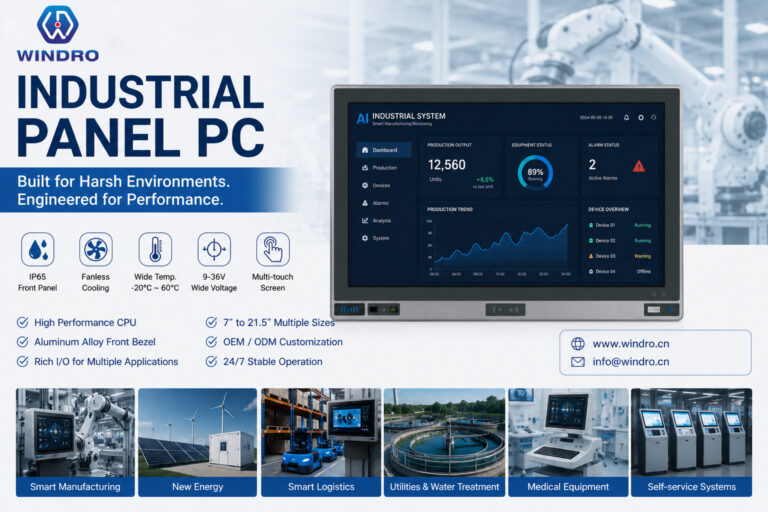
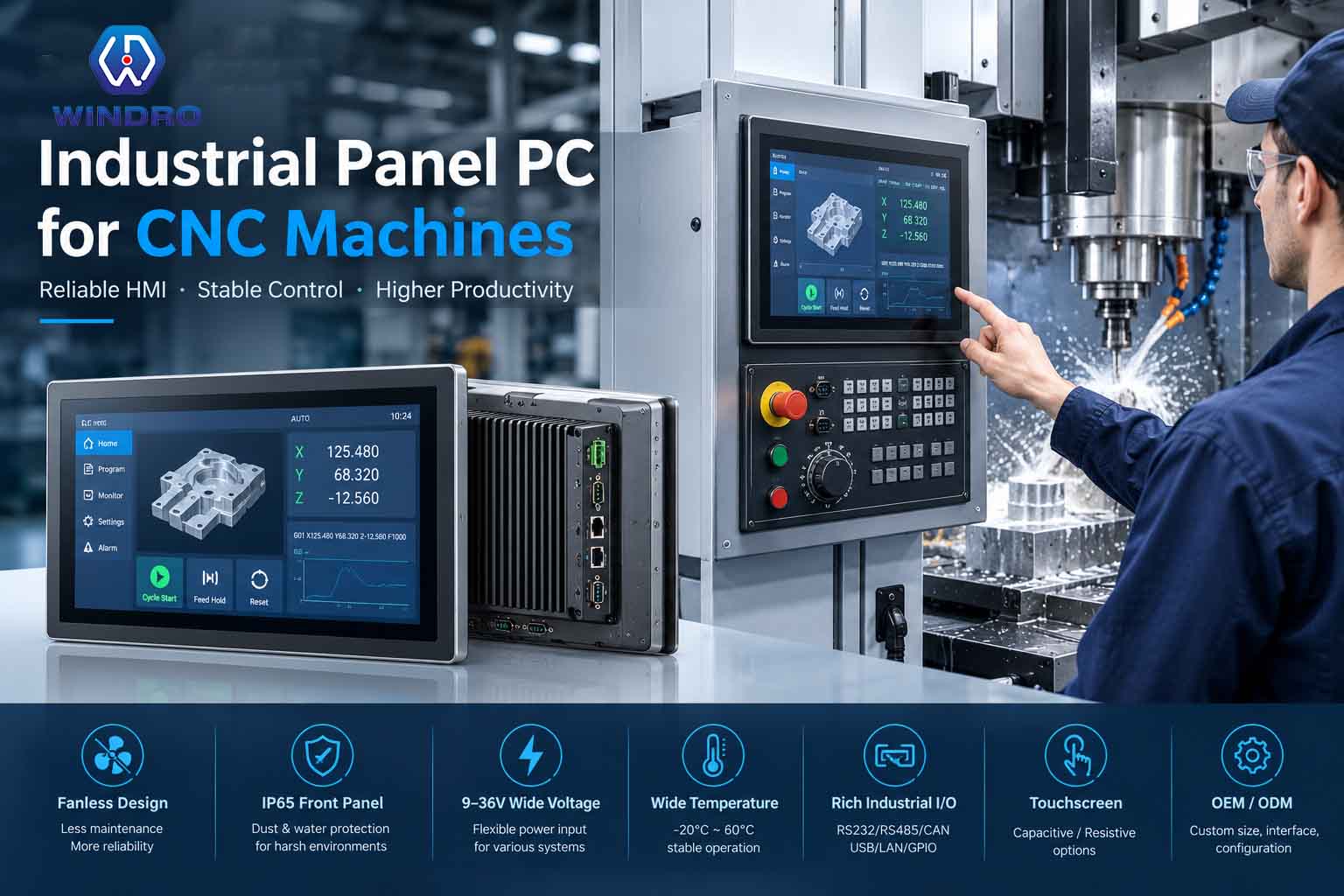
With an integrated touchscreen, industrial I/O, rugged enclosure, fanless cooling, and flexible mounting options, an industrial panel PC can provide a compact and reliable CNC HMI solution for machine tools and automated manufacturing equipment.
For CNC machine builders, OEMs, and system integrators, choosing the right industrial panel PC is an important part of building a reliable machine interface.
What Is an Industrial Panel PC for CNC Machines?
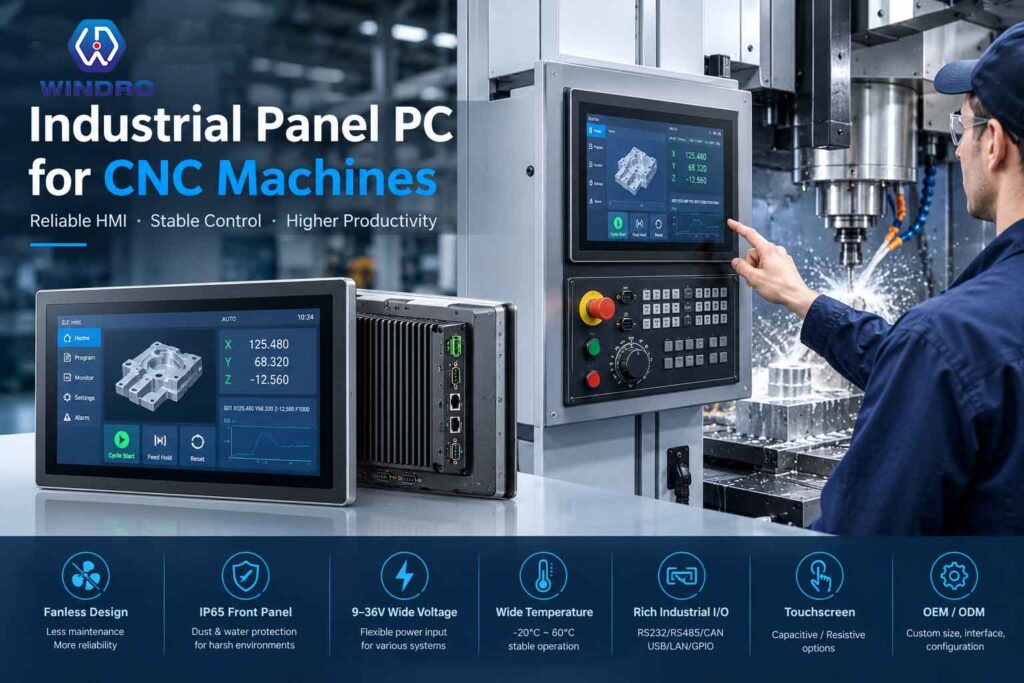
An industrial panel PC for CNC machines combines an industrial computer, display, and touchscreen into a single integrated device.
It can serve as the operator interface between the user and the CNC control system.
Depending on the machine architecture, the panel PC can be used for:
- CNC HMI
- Machine monitoring
- Production data display
- Parameter management
- Alarm monitoring
- MES integration
- Equipment diagnostics
- Operator input
- Production reporting
Instead of installing a separate commercial monitor and computer, an industrial panel PC provides a more compact and integrated solution.
The panel can also be embedded directly into a CNC machine or control cabinet, creating a clean and professional machine interface.
Why Do CNC Machines Need Industrial Panel PCs?
CNC machining environments are significantly different from office environments.
During machining, equipment may be exposed to:
- Metal dust and particles
- Cutting fluids
- Oil mist
- Coolant splashes
- Vibration
- Heat
- Electromagnetic interference
- Continuous operation
A commercial computer may not be designed for these conditions.
An industrial panel PC is built with industrial applications in mind, combining environmental protection with computing and touchscreen functionality.
For CNC machine builders, this can improve integration and reduce the need for separate HMI components.
Key Features of a CNC Industrial Panel PC
1. Fanless Cooling
A fanless industrial panel PC uses passive thermal management rather than a conventional cooling fan.
This design can provide several advantages in CNC environments.
Without a traditional cooling fan, the computer has fewer moving parts and does not continuously draw surrounding air into the system.
This can help reduce potential dust intake and maintenance requirements.
For CNC machines operating in dusty or particle-heavy environments, fanless cooling can therefore be an important consideration.
For more information about the advantages of fanless industrial computers, see:
Why Fanless Industrial Panel PCs Are Ideal for Smart Manufacturing
2. IP65 Front Protection
The front panel of a CNC machine may be exposed to dust, coolant splashes, and cleaning processes.
An IP65 industrial panel PC can provide protection against dust ingress and water jets under specified testing conditions.
This makes IP65 front protection particularly useful for:
- CNC machining centers
- Milling machines
- Turning machines
- Grinding machines
- Automated machine tools
However, it is important to verify exactly which part of the panel PC is covered by the IP65 rating.
For many embedded CNC applications, an IP65 front panel provides the protection required for the operator-facing side of the machine.
3. 9–36V Wide Voltage Input
CNC machines and industrial equipment can use different DC power architectures.
A wide voltage industrial panel PC can provide greater flexibility for system integration.
Selected WINDRO industrial panel PC configurations support:
This can be useful for industrial equipment where the available DC voltage may vary between machine models or system architectures.
Wide voltage input can also be valuable in mobile industrial equipment, energy systems, and other DC-powered applications.
4. Industrial Touchscreen
The touchscreen is one of the most important components of a CNC HMI.
Operators may use the display to:
- Enter parameters
- Start or stop processes
- Check machine status
- View alarms
- Adjust settings
- Monitor production information
Depending on the application, CNC machine builders can choose between different touchscreen technologies.
Capacitive Touch
Capacitive touchscreens are suitable for modern graphical interfaces and applications requiring smooth multi-touch interaction.
Resistive Touch
Resistive touchscreens can be useful in industrial environments where operators may use gloves or require pressure-based input.
The best touchscreen technology depends on the actual operating environment and user requirements.
5. Rugged Aluminum Housing
CNC equipment requires robust mechanical construction.
A rugged aluminum housing can provide:
- Mechanical strength
- Good thermal conductivity
- Long-term durability
- Passive heat dissipation
- Professional appearance
For embedded CNC applications, the enclosure can also be customized to match the machine structure.
This allows the industrial panel PC to become part of the machine rather than simply being attached to it.
6. Industrial I/O for CNC Integration
Connectivity is another key consideration when selecting a CNC industrial panel PC.
A CNC system may need to communicate with:
- PLCs
- CNC controllers
- Sensors
- Industrial networks
- Barcode scanners
- Printers
- External displays
- Other automation equipment
Depending on the configuration, industrial panel PCs can support interfaces such as:
- RS232
- RS485
- CAN
- USB
- LAN
- HDMI
- DisplayPort
- GPIO
For OEM projects, the I/O configuration can also be customized according to the machine architecture.
CNC Industrial Panel PC Applications
An industrial panel PC can be used across different types of CNC equipment.
CNC Milling Machines
CNC milling machines require operator interfaces for controlling machining processes and viewing machine information.
An industrial touchscreen panel PC can display:
- Tool information
- Machining parameters
- Machine status
- Production data
- Alarm notifications
CNC Turning Machines
CNC turning machines can use industrial panel PCs for:
- Machine operation
- Parameter input
- Production monitoring
- Alarm display
- Maintenance information
The compact integrated design of a panel PC can be particularly useful when control-panel space is limited.
CNC Machining Centers
Modern machining centers can involve multiple processes and require increasingly sophisticated interfaces.
A higher-performance industrial panel PC can support applications such as:
- CNC HMI
- Production monitoring
- MES integration
- Data visualization
- Equipment diagnostics
Grinding Machines
Grinding environments can involve dust, particles, coolant, and continuous machine operation.
An industrial panel PC with appropriate protection can provide a durable operator interface for machine control and monitoring.
Laser Cutting and Metal Processing Equipment
Industrial panel PCs can also be integrated into:
- Laser cutting machines
- Sheet metal processing equipment
- Automated cutting systems
- Welding equipment
- Fabrication machinery
These systems may require touchscreen control combined with industrial communication interfaces.
Industrial Panel PC as a CNC HMI
One of the most important roles of an industrial panel PC is providing a Human-Machine Interface.
A CNC HMI connects the operator with the machine control system.
A typical architecture can be viewed as:
Operator
↓
Industrial Touchscreen Panel PC
↓
CNC Controller / PLC
↓
Sensors, Motors & Machine Equipment
The industrial panel PC provides the visual interface, while the CNC controller or PLC handles machine control according to the overall system architecture.
This separation allows the panel PC to focus on HMI, visualization, data management, and software functions while communicating with the machine’s control hardware.
CNC Industrial Panel PC for MES Integration
Modern factories increasingly connect CNC machines with Manufacturing Execution Systems (MES).
MES systems can collect production information such as:
- Machine status
- Production quantities
- Work orders
- Downtime
- Quality information
- Operator data
- Maintenance information
An industrial panel PC can act as a local MES terminal at the machine or production-line level.
Operators can use the touchscreen to:
- View work orders
- Report production
- Enter process information
- Check machine status
- Report abnormalities
This helps connect individual CNC machines with broader smart manufacturing systems.
Why Fanless and IP65 Matter for CNC Applications
Two frequently requested features for CNC panel PCs are fanless cooling and IP65 front protection.
They address different requirements.
| Feature | Main Purpose |
|---|---|
| Fanless design | Reduces moving parts and potential dust intake |
| IP65 front | Protects the front panel against dust and water jets |
| Rugged aluminum housing | Provides mechanical strength and heat dissipation |
| 9–36V input | Provides DC power flexibility |
| Industrial I/O | Connects with automation equipment |
| Touchscreen | Provides operator interaction |
Together, these features create a more complete industrial HMI platform.
Industrial Panel PC vs Commercial PC for CNC Machines
A commercial PC may provide good performance in an office, but CNC machines require additional considerations.
| Requirement | CNC Industrial Panel PC | Commercial PC |
|---|---|---|
| Industrial environment | Designed for industrial use | Generally designed for office use |
| Touchscreen | Integrated | Usually separate |
| IP65 front protection | Available | Usually unavailable |
| Fanless configuration | Available | Model dependent |
| Industrial I/O | Available | Usually limited |
| 9–36V DC input | Available on selected models | Usually limited |
| Machine mounting | Designed for integration | Usually not optimized |
| Rugged enclosure | Available | Generally limited |
| OEM customization | Available | Limited |
The goal is not simply to find the most powerful computer.
For CNC applications, the better approach is to select a computer that matches the environment, HMI requirements, interfaces, power system, mounting structure, and software requirements of the machine.
How to Choose an Industrial Panel PC for CNC Machines
1. Determine the Screen Size
The screen size depends on:
- Available panel space
- Viewing distance
- HMI complexity
- Operator requirements
Compact screens may be suitable for individual machine interfaces, while larger displays can provide more space for complex HMI and MES applications.
2. Select the Processor
The processor should match the software workload.
Simple CNC HMI applications may require moderate computing performance.
More advanced applications involving:
- MES
- Machine vision
- AI
- Edge computing
- Data visualization
may require higher-performance processors.
WINDRO industrial panel PCs can be configured with different processor platforms according to project requirements.
3. Choose the Touch Technology
Consider whether operators will use:
- Bare fingers
- Work gloves
- Industrial gloves
- Styluses
This helps determine whether capacitive or resistive touch is more appropriate.
4. Check the IP Protection
For CNC machines, consider exposure to:
- Coolant
- Water
- Oil
- Dust
- Metal particles
If protection is required on the operator-facing side, an IP65 industrial panel PC can be an appropriate solution.
5. Check the Power Input
Determine the machine’s actual DC power requirements.
For applications using different DC voltage systems, a 9–36V wide voltage industrial panel PC can provide additional flexibility.
6. Check the Interfaces
Before placing an order, identify all required communication interfaces.
Common requirements include:
RS232 / RS485 / CAN / USB / LAN / GPIO
For OEM projects, custom I/O configurations may be necessary.
7. Consider the Mounting Structure
CNC machine control panels can have very different mechanical structures.
The panel PC may need to be:
- Embedded
- Recessed
- Flush mounted
- Panel mounted
- Cabinet mounted
- Arm mounted
A customized enclosure or mounting structure can help integrate the panel PC directly into the CNC machine.
WINDRO CNC Industrial Panel PC Solutions
WINDRO provides industrial panel PC solutions for CNC machines, factory automation, and industrial equipment manufacturers.
Depending on the project, WINDRO industrial panel PCs can be configured with:
- Industrial touchscreen
- Fanless cooling
- IP65 front protection
- 9–36V DC wide voltage input
- Rugged aluminum housing
- Intel processor platforms
- ARM processor platforms
- Windows
- Linux
- Ubuntu
- Android
- RS232
- RS485
- CAN
- USB
- LAN
- GPIO
- Custom mounting structures
WINDRO also supports OEM and ODM customization.
For CNC machine builders and system integrators, customization can include:
- Display size
- CPU platform
- Memory
- Storage
- Touch technology
- I/O interfaces
- Enclosure dimensions
- Mounting structure
- Operating system
- Logo and branding
This allows the industrial panel PC to be designed around the machine rather than forcing the machine to adapt to a standard computer.
Why OEM CNC Machine Builders Choose Customized Panel PCs
For standard office computers, customization is often limited.
CNC machine builders may have very specific requirements for:
- Display dimensions
- Installation depth
- Connector positions
- Mounting holes
- Touch technology
- Processor performance
- Operating system
- Power input
A customized industrial panel PC can simplify the overall equipment design.
For example, a CNC machine manufacturer may require a specific screen size that fits an existing control cabinet.
Instead of redesigning the cabinet around an off-the-shelf computer, the panel PC can be customized to match the cabinet structure.
This is particularly valuable for equipment manufacturers developing their own branded CNC systems.
Future of CNC HMI and Industrial Computing
CNC manufacturing is becoming increasingly connected.
Traditional machine interfaces are evolving toward more intelligent systems that combine:
- CNC control
- Industrial IoT
- MES
- Edge computing
- Machine vision
- Predictive maintenance
- Production analytics
- Remote monitoring
As a result, the industrial panel PC is becoming more than an operator display.
It can serve as an important computing and visualization platform at the machine level.
With the right hardware and software architecture, CNC industrial panel PCs can help connect individual machines with larger smart manufacturing systems.
Frequently Asked Questions
What is an industrial panel PC for CNC machines?
An industrial panel PC for CNC machines is an integrated industrial computer and touchscreen designed to provide HMI, monitoring, data visualization, and other computing functions for CNC equipment.
Why use an industrial panel PC instead of a commercial PC for CNC?
Industrial panel PCs are designed for demanding environments and can offer features such as IP65 front protection, fanless cooling, industrial I/O, wide voltage input, rugged housings, touchscreen operation, and customized mounting.
Is IP65 important for CNC industrial panel PCs?
IP65 front protection can be useful for CNC applications where the operator-facing panel may be exposed to dust, coolant splashes, or water jets under specified conditions.
Can a CNC panel PC support 9–36V DC?
Selected WINDRO industrial panel PC configurations support 9–36V DC wide voltage input, depending on the hardware configuration.
Can an industrial panel PC run CNC software?
This depends on the CNC system and software architecture. Industrial panel PCs can support operating systems such as Windows, Linux, Ubuntu, or Android depending on the selected hardware platform, allowing them to run compatible HMI, MES, monitoring, or industrial software.
Can WINDRO customize a CNC industrial panel PC?
Yes. WINDRO supports OEM and ODM customization, including screen size, processor, memory, storage, touchscreen, I/O, enclosure, mounting structure, operating system, and branding.
What interfaces are commonly required for CNC panel PCs?
Depending on the CNC system, common interfaces include RS232, RS485, CAN, USB, LAN, HDMI, and GPIO. The exact configuration should be determined according to the machine’s control architecture.
Conclusion
A reliable operator interface is an essential part of modern CNC equipment.
An industrial panel PC for CNC machines combines computing, touchscreen interaction, industrial connectivity, and rugged mechanical design into a single platform.
Features such as fanless cooling, IP65 front protection, 9–36V wide voltage input, industrial I/O, rugged aluminum housing, and flexible mounting can make an industrial panel PC well suited to demanding CNC environments.
For CNC machine manufacturers, automation companies, and system integrators, customization is equally important. The right panel PC should fit the machine’s physical structure, electrical system, software platform, and HMI requirements.
With flexible hardware configurations and OEM/ODM customization, WINDRO provides CNC HMI and industrial panel PC solutions designed around specific machine and automation requirements.
Looking for an industrial panel PC for your CNC machine? Contact WINDRO to discuss your CNC HMI requirements and customization needs.